How Do I Plan a Monthly Email Calendar for My Store?
How does the quick answer break down into campaigns, automations, and segments?
A monthly email calendar works best when you treat campaigns, automations, and segments as three separate jobs.
Campaigns are the emails you schedule on purpose. Think newsletter, product launch, weekend sale, back-in-stock roundup, or a founder note. Automations are the emails that keep running in the background, like welcome, post-purchase, and win-back sequences. Segments decide who gets what, so you are not blasting the same message to every person on your list.
That separation matters because each piece solves a different problem. Campaigns create timely reasons to buy. Automations catch people at the right moment. Segments keep the message relevant.
If you are still sorting out where one ends and the other begins, read our guide to the difference between email campaigns and email automations.
What is a monthly email calendar for an online store?
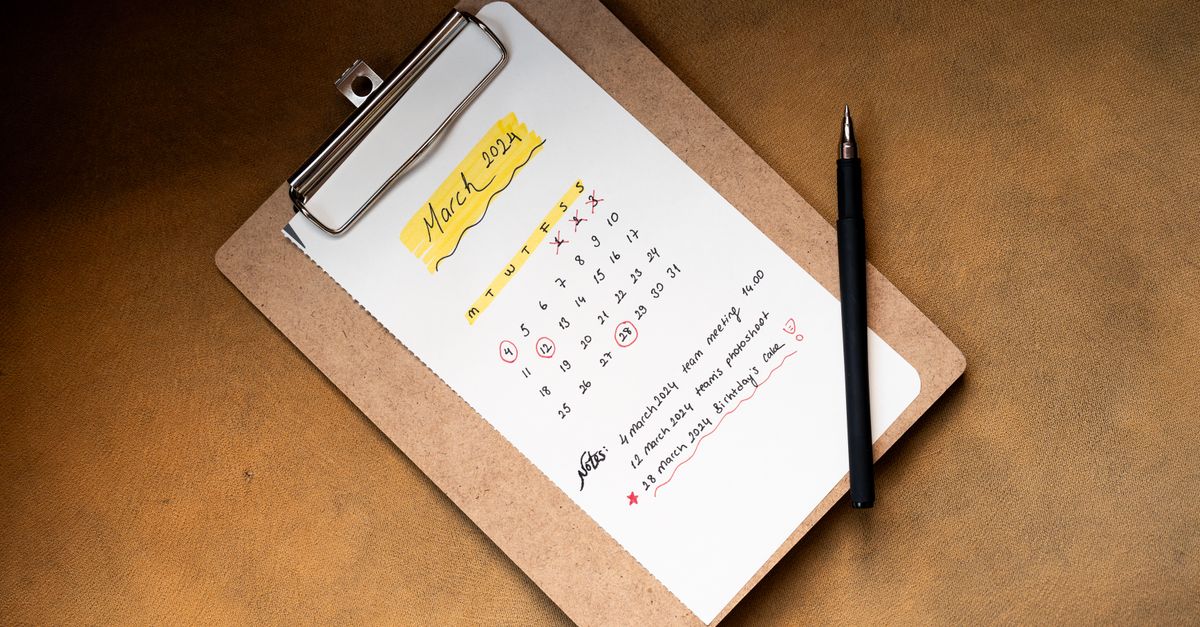
A monthly email calendar is a repeatable plan for what your store will send, who will get it, and when each email goes out.
For an ecommerce business, that usually means a mix of newsletters, promos, launches, educational emails, and automated lifecycle messages. If you run a store on OpoShop, the calendar is the simple operating system behind your email marketing. It keeps the month from turning into random sends whenever you remember email exists.
A good calendar answers a few plain questions:
- What are we trying to accomplish this month?
- Which dates or offers matter?
- Which emails are one-time campaigns?
- Which emails should already be automated?
- Which customer segments should get each message?
That is really the whole thing. Not fancy. Just clear.
Why does a monthly email calendar matter for store owners?
A monthly email calendar matters because consistency beats bursts.
A lot of founders send nothing for three weeks, then try to cram four ideas into two days. That usually leads to rushed copy, weak offers, and the same email going to everyone. The problem is not effort. The problem is that there was no plan before the month started.
Planning the month ahead helps in a few ways:
- It cuts last-minute scrambling
- It makes room for both promos and non-promotional emails
- It keeps automations from being forgotten
- It helps small teams run real email marketing without a huge ESP setup
- It makes it easier to reuse a rhythm that already works in your OpoShop store
And if writing is the bottleneck, that is worth naming directly. A lot of store owners do not need more ideas. They need a way to turn ideas into finished emails without hiring a copywriter for every send.
If planning is easy but writing is the bottleneck, see whether an AI email tool or a copywriter makes more sense for your OpoShop store.
How do I plan a monthly email calendar for my store?
The cleanest way to plan a monthly email calendar is to build the month in layers: goal, dates, campaigns, automations, segments, and schedule.
Here is a sample monthly plan for a small OpoShop store:
| Week | Scheduled campaign | Segment | Always-on automation running alongside |
|---|---|---|---|
| Week 1 | Monthly newsletter with new arrivals or brand update | Full engaged list | Welcome flow |
| Week 2 | Promotional offer or featured collection | Recent browsers or past buyers of related products | Post-purchase flow |
| Week 3 | Non-promotional story, education, or social proof style email | Engaged subscribers who did not buy from Week 2 | Welcome + post-purchase |
| Week 4 | Win-back offer or last-chance reminder | Lapsed customers | Win-back flow |
That balance answers a question store owners ask all the time: how do I plan welcome, post-purchase, and win-back emails alongside newsletters? The answer is that newsletters and promos belong on the calendar, while lifecycle flows stay on all month and quietly do their job.
One more thing. Use live customer segments based on real customers and orders, not static lists you forget to update. A segment like "customers who bought in the last 30 days" stays useful. A CSV you uploaded six months ago does not.
Here is what that looks like in the writing itself:
Weak: "Big sale this week. Shop now." Stronger: "You bought from our spring collection last month, so we pulled the three new arrivals that match what you already liked."
The second version has a real audience. That is why it works better.
What are the best ways to structure your calendar: simple, promo-heavy, or lifecycle-led?
The best structure depends on how much time you have, how often your store gets orders, and whether your biggest need is sales now or retention over time.
| Calendar model | Best for | What it looks like | Watch out for |
|---|---|---|---|
| Simple | Small stores with limited time | 3 to 4 scheduled campaigns per month plus automations | Going silent between sends |
| Promo-heavy | Stores with frequent launches, drops, or sales | 1 to 2 emails per week focused on offers and urgency | Training the list to only buy on discount |
| Lifecycle-led | Stores with steady order flow and repeat potential | Fewer blasts, more welcome, post-purchase, cross-sell, and win-back sequences | Ignoring campaign planning completely |
Most small merchants do better with the simple model first. It is easier to keep going, and that matters more than building an ambitious calendar you abandon by the second week.
A promo-heavy calendar can work if your store has real reasons to email often. New drops, holiday pushes, limited inventory, and strong seasonal demand all fit. But if every send is a discount, people learn to wait.
A lifecycle-led calendar usually gets stronger as your OpoShop store grows. Once orders are coming in steadily, behavior-triggered emails start doing more of the work. That is also where multi-email drip sequences earn their keep, because one welcome email rarely does the whole job.
What common monthly email calendar mistakes should you avoid?
Most monthly email calendar mistakes come from trying to do too much, too late, for too many people at once.
The first mistake is emailing everyone the same thing. New subscribers, repeat buyers, and lapsed customers are not in the same moment. They should not get the same message.
The second mistake is filling the whole month with discounts. Promotions have a place. Constant promotions make the store feel noisy and cheap.
The third mistake is ignoring automations because campaigns feel more visible. A welcome flow, post-purchase sequence, and win-back series keep working when you are busy running the rest of your business on OpoShop.
The fourth mistake is planning too many sends. If you can realistically write and schedule four strong campaigns, do not put eight on the calendar just because another brand does. The best monthly email plan is the one you can repeat.
The fifth mistake is writing everything at the last minute. That is where generic subject lines and weak offers show up. Even a rough draft made a week early is better than a blank page at 9:40 p.m.
What do we recommend for a small OpoShop store?
For a small OpoShop store, we recommend a monthly rhythm that is light enough to maintain and smart enough to grow with you.
A strong starting point is 3 to 4 scheduled campaigns each month, plus always-on welcome, post-purchase, and win-back automations. That gives you enough room for newsletters, promos, and product stories without turning email into a full-time job.
The segment setup can stay simple at first:
- New subscribers
- First-time customers
- Repeat customers
- Lapsed customers
- Engaged non-buyers
That is enough to send different emails to people in different stages without getting lost in setup. If you use live customer segments based on real orders in your OpoShop store, the plan stays current without constant list cleanup.
If you want the calendar to stay consistent without hiring a copywriter, use tools that help with both scheduling and writing. A setup like SendHero makes sense here because it handles scheduled campaigns, behavior-triggered automations, multi-email drip sequences, and on the Pro plan can write full email flows in your store's own voice.
If you want a simpler way to turn the plan into actual sends, start with the setup your store can keep running next month too.
Best answer: For most small stores, the smartest monthly email calendar is not packed. It is steady. Plan 3 to 4 scheduled campaigns, keep welcome, post-purchase, and win-back automations running all month, and send each email to a segment that matches the customer's real relationship to your store.
FAQs
How many emails should my store send each week?
Most small stores should send 1 email per week, then add a second weekly send during launches, seasonal pushes, or strong promotional periods. If your OpoShop store already has working automations, one solid campaign each week is enough to stay consistent.
What is the difference between email campaigns and email automations?
Email campaigns are scheduled one-time sends, like newsletters, promotions, and launch emails. Email automations are triggered by customer behavior or timing, like welcome emails after signup, post-purchase follow-up, or win-back emails after a long gap.
What customer segments should a small ecommerce store create first?
A small ecommerce store should start with new subscribers, first-time buyers, repeat customers, lapsed customers, and engaged non-buyers. Those five groups cover the biggest differences in intent without making the setup hard to manage.
How far ahead should I plan my email calendar?
Most store owners should plan the next month before the current month ends. Two to four weeks ahead is usually enough to schedule campaigns, line up offers, and leave room for a last-minute restock or sale.
Should every email in my calendar be promotional?
No. A healthy calendar mixes promotional emails with non-promotional emails like product education, founder updates, helpful tips, or post-purchase follow-up. If every email asks for the sale, the list gets tired fast.
Can AI help me plan and write my store emails?
Yes. AI can help turn a monthly plan into drafts, subject lines, and full flows much faster than writing from scratch every time. For stores that want consistency without hiring a copywriter, that can be the difference between having a calendar and actually sending it.
Summary: A Simple Monthly Email Plan You Can Repeat
A monthly email calendar works when it is simple enough to repeat and smart enough to match real customer behavior. Pick one goal, map your dates, schedule a few clear campaigns, keep automations running, and send each email to the right segment.
That is the whole system. Not more emails. Better planned emails.
Want a simpler way to run your monthly email calendar? See how SendHero helps OpoShop stores schedule campaigns, trigger automations, and keep emails in the store's own voice.